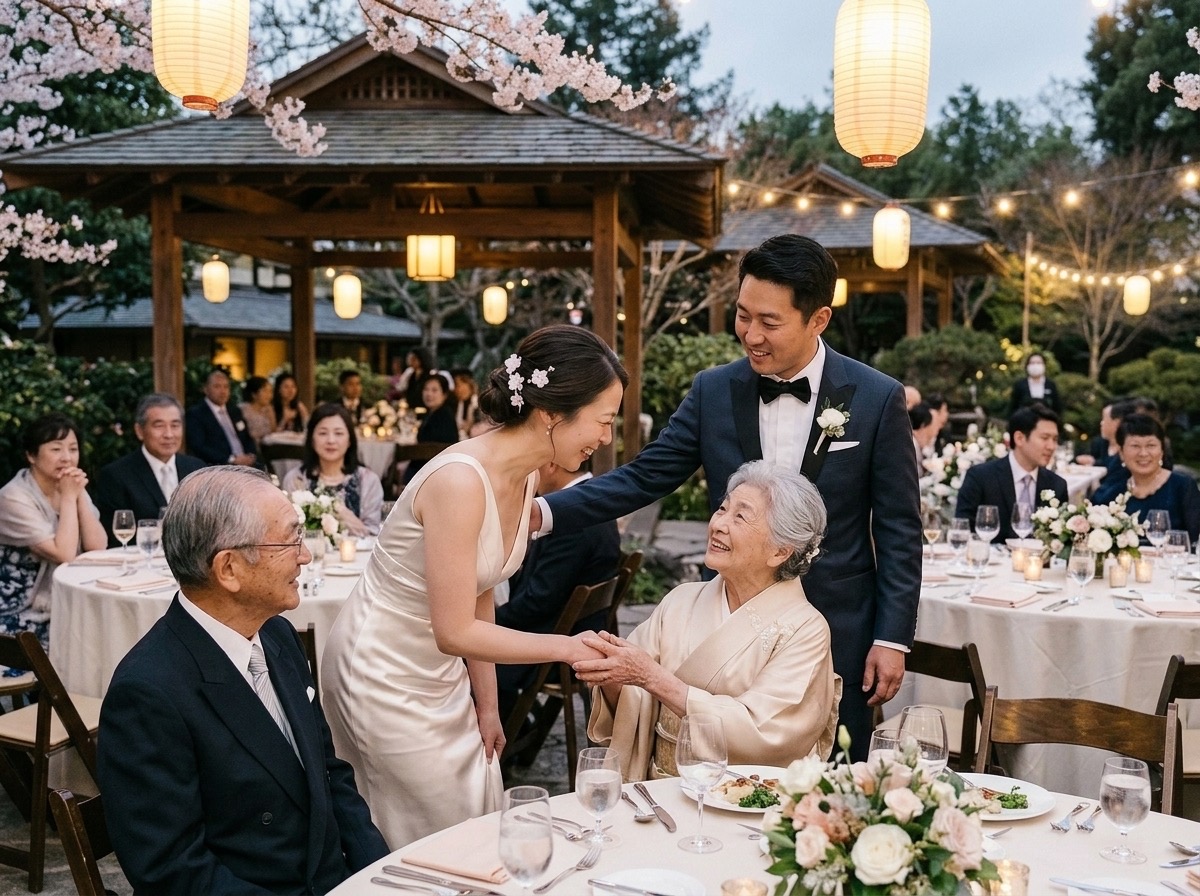
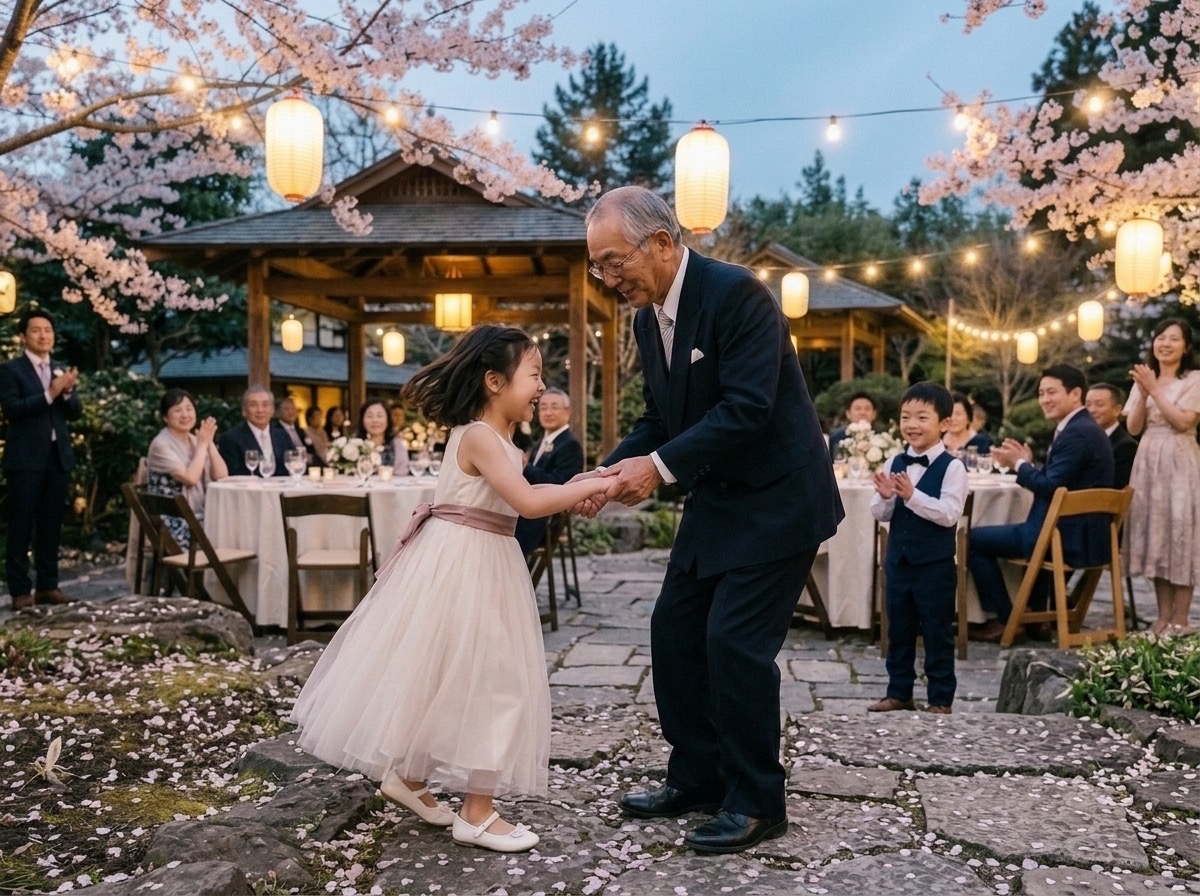

FAMILIAL GATHERINGS · LIVING ROOM & VENUE TV

Every Laugh Around the TV,Shared Together

Picture the whole family gathered around a big TV screen — laughing out loud, pointing, and remarking as candid photos, stories, and heartfelt comments from everyone in the room pop up live.

📺 Living Room 65" TV · Family Gathering👨‍👩‍👧‍👦 24 watching & laughing
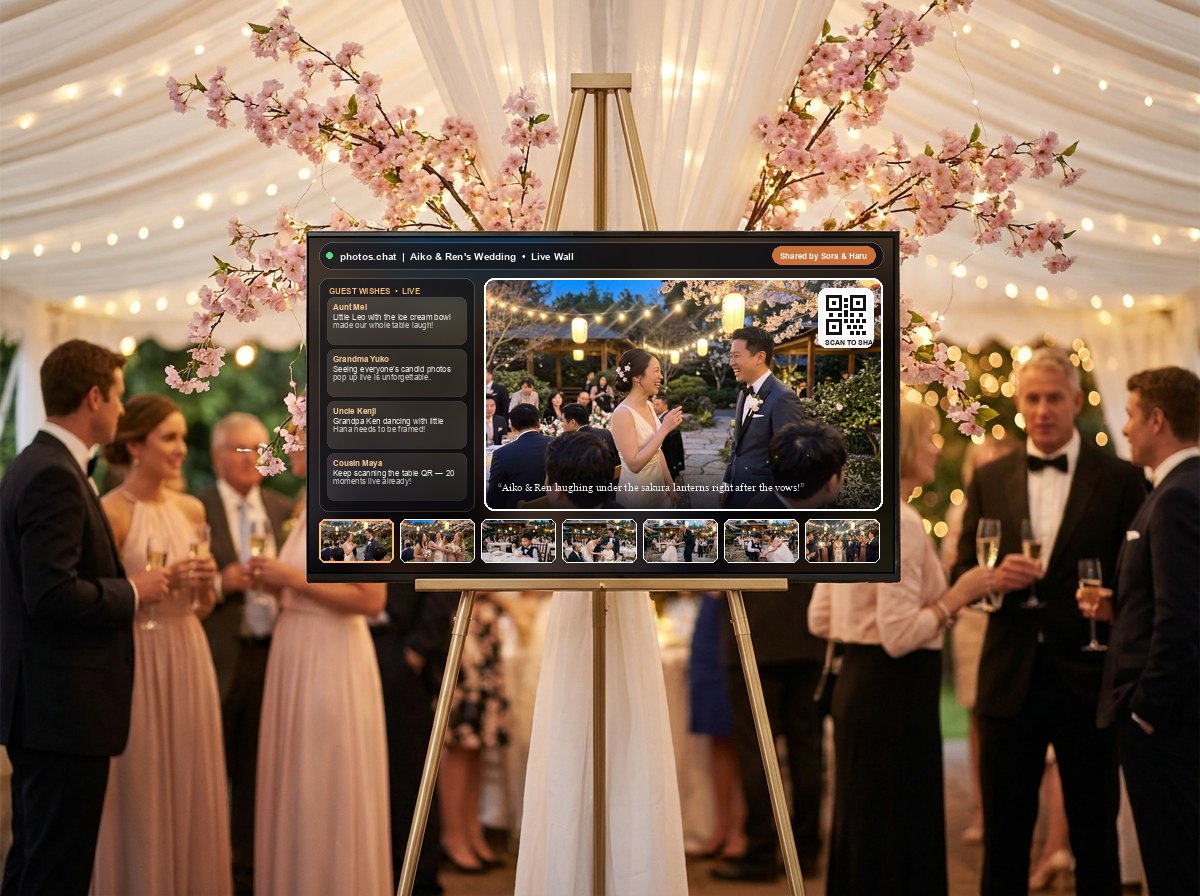
Aiko and Ren wedding moment displayed on big TV screen
📸 Uploaded by Sora & Haru

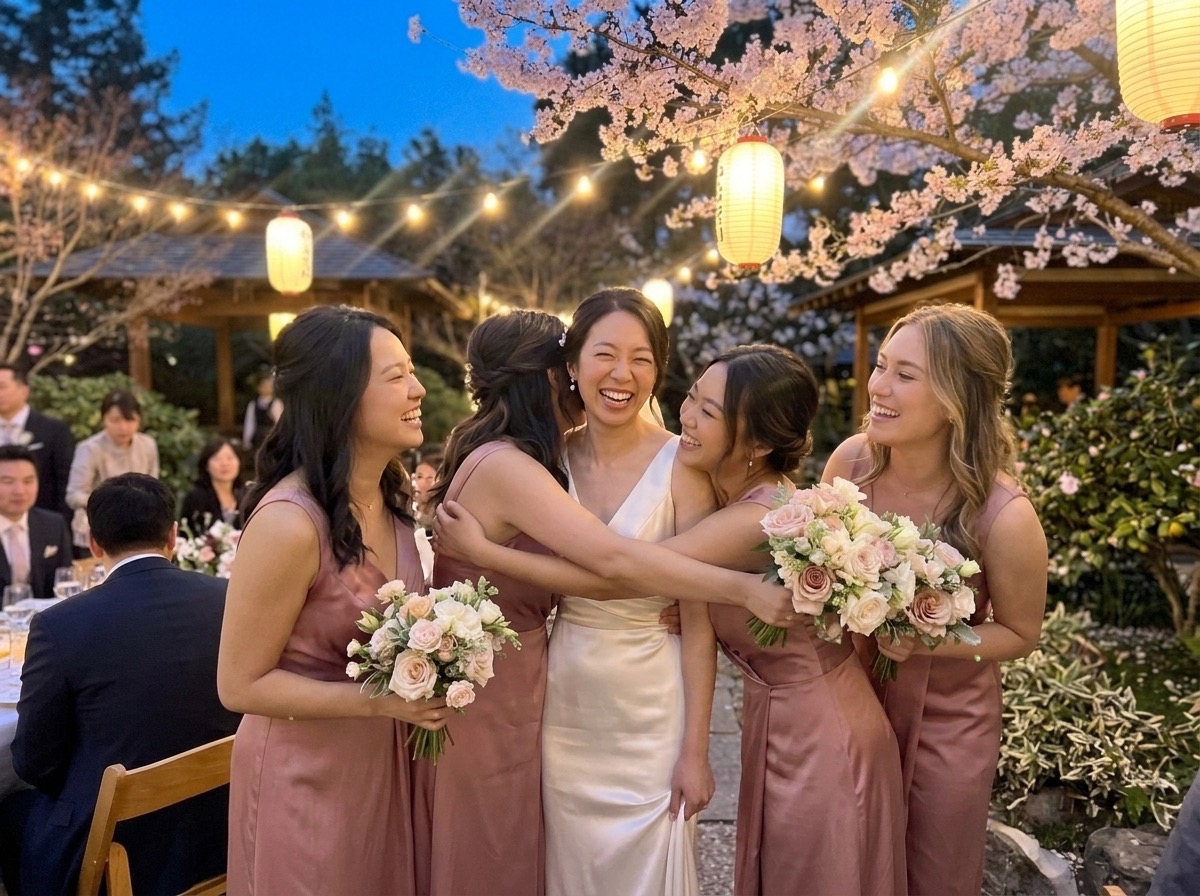
"Aiko & Ren laughing under the sakura lanterns right after the vows! 🌸✨"

PHOTOS·CHAT 4K📱 Scan QR on screen to share
😂
Uncle Kenji · On the Couch"Look at Dad's 1998 throwback on the big TV!! Whole living room is crying laughing!"
🥂
Aunt Clara · Dining Table"Every time a new photo pops up on the screen, everyone stops to point and cheer!"
❤️
Grandma Ruth · Watching Together"Seeing everyone's comments scroll beneath the photos makes us feel so close."
PERSONALIZE YOUR EXPERIENCE · SAVED FOR 30 DAYS

What kind of gathering are you bringing together? Choose 1 of 3:

No Apps RequiredScan QR & share in seconds
Live TV SlideshowStreams to any screen live
Unlimited GuestsEveryone in the room joins
Full-Res ZIP Keep1-click album download

Try photos.chat Yourself

Create Your Event →

INTERACTIVE LIVE PREVIEW

Experience the Live Wall

Here, you can get a glimpse of how photos.chat works and what your guests' joyful experience looks like in real time.

1

Scan the QR code or click any photo inside the mobile Digital Album on the right.

2

Tap a photo, frame, or floating emoji on the phone and view it on the Digital Album and Live Photo Wall in real time!

Scan with your phone's cameraOr click any photo thumbnail inside the mobile device on the right →Open live guest room (/e/aiko-and-ren) ↗
Live Photo Wall (Slideshow)
🌸 Aiko & Ren's Family Celebration · Live Wall
📱 Scan QR to share your photos!
Featured guest upload on the Live Photo Wall✨ Live in Venue

🌸 Aiko & Ren's Album
184 smiles shared · Tap a photo ↓
Guest Book Photos (Click to beam):
Digital Album (Guest Book) — Click any photo!

Bring the Room Together

Collect and share every photo, video, and blessing in a stunning digital album — while streaming the joy live across the venue.

Try Live Demo ↑

Guest photos, videos & frames

Experience your celebration through every guest's eyes — with built-in frames and filters so every candid moment shines.

Heartfelt wishes & captions

Guests share warm blessings and captions alongside their photos — a living guestbook that scrolls across the big screen.

Easy for every generation

Scan the table card and share in seconds. No app downloads or signups — built so kids and grandparents alike join the fun.

Live slideshow on the big screen

Stream every upload, wish, and floating emoji burst onto TVs and projectors in real time — turning the wall into the heart of the party.

How It Works

A joyful, effortless experience — for you and every guest in the room.

Start in 2 Minutes →
一 Step 1

Create your event

Name your celebration, pick a custom link, and choose your theme. Two minutes from start to finish — right on this page.

Create your event
二 Step 2

Share it with your guests

Guests scan the table card's QR code or tap your link — before, during, and after your celebration.

  • Share as a link through invites, SMS, or email
  • Print your unique QR code on table cards and welcome signs
  • No app downloads, no account registrations needed
三 Step 3

Display it all on a live slideshow wall

Stream a real-time Live Photo Wall that updates with every photo, video, wish, and floating emoji burst. Display it on TVs, projectors, or tablets — and watch the whole room smile together.

See live example ↑
四 Step 4

Enjoy & keep every captured moment

Relive the celebration any time in your own digital album, and download every full-resolution photo and video in one click.

Create your event
TEAM HELPERS · SIMPLE TO SHARE

Who Helps Run the Live Wall?

You don't have to watch the screen while hosting your own party. Share a simple code with a helper in the room or a photo editor anywhere in the world.

Try Live Screens ↓
👑 Host (You)✨ Set Up in 2 Minutes

Create Your Room, Then Enjoy Your Party

Name your event, pick a background style, and print your QR code — then share a helper code below so you never have to babysit the screen.

🏷️ Custom Logo & Colors🎨 10 Party Themes🌍 Auto "From Afar" Tag⬇️ 1-Click ZIP Download
🛡️ Role 1 · Moderator📍 Best in the Same Room
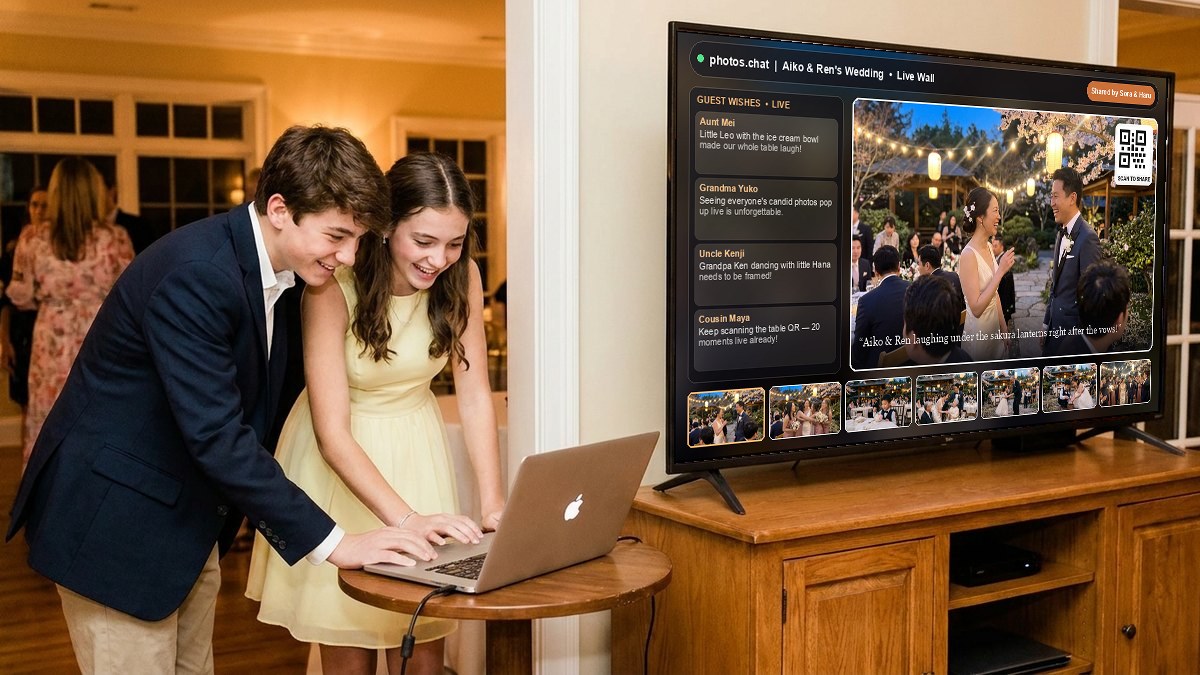
Two well-dressed teenage cousins sitting near the venue TV screen looking into a laptop to moderate the live photo wall🟢 Sitting Near the TV · Laptop or Phone

Your Helpers in the Room

Ask two older cousins, teenagers in the family, or a trusted friend at the party. Sitting in the same room near the TV with a laptop lets them watch the big screen, approve photos, and even double up as your photo editor.

🛡️ Moderator link & codephotos.chat/e/aiko-and-ren/moderator
Code: 4829 1034🔄 New code
  • 📍 Sit near the TV to check the screen and approve or hide photos in 1 tap
  • 📣 Start fun photo games, scoreboards, and announcements on the TV
  • ✏️ Can also edit photos — crop, rotate, and brighten right from their laptop
✏️ Role 2 · Photo Editor🌍 Can Work from Anywhere
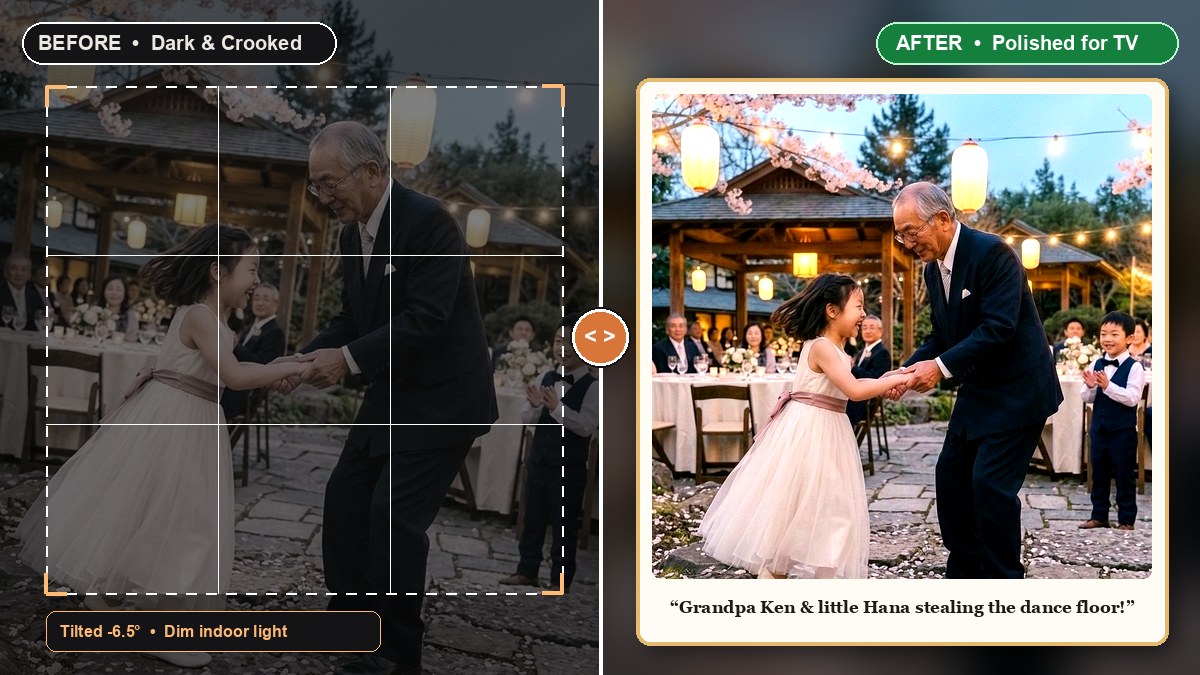
Before and After comparison showing a dark crooked guest photo transformed into a bright framed TV photo✨ Live Before & After Polish

Make Every Photo Look Great

Your Moderator can do this too — or you can hire a helper on Fiverr or Freelancer from anywhere in the world. They turn dark, crooked phone snaps into bright, framed pictures for the big TV.

✂️ Crop↻ Straighten✨ Brighten🌸 Frame🎬 Trim Video
  • ✂️ Fix crooked or messy shots — zoom in and cut out table clutter
  • ✨ Warm filters & frames make dim indoor photos pop on the big screen
  • 🔒 Safe for freelancers — editors can only fix photos, never touch settings
FUN WAYS TO ENGAGE THE ROOM

Put Messages & Games on the TV

Click below to see how you or your Moderator can put big announcements, photo games, or top guest scores on the TV screen.

🌸 photos.chat · Venue TV Wall TV Connected
✨ SPECIAL MOMENT · PHOTOS PAUSED

🥂 Raise Your Glasses for the Best Man's Toast!

Snap your table's reaction — slideshow resumes in a moment.

▶ 1-Tap "Resume Slideshow"
PHOTOS·CHAT 4K
RELAX & ENJOY EVERY MOMENT

Why Everyone Loves It

No complicated screens to learn — just warm, joyful moments for you, your helpers, and every guest in the room.

Create Your Event →
● Live DemoWant to try the real screens right now?No password needed — click any screen below to explore:
🥂Zero Stress

Be a Guest at Your Own Party

Set up your room in two minutes, hand the helper code to a friend or cousin, and spend the night hugging guests instead of watching a screen.

🎨Your Vibe

Feels Like Your Celebration

Add your own logo, pick your favorite colors, and choose a warm background theme that makes the big TV look like part of your decor.

💝Keep Forever

Wake Up to Every Memory Saved

The next morning, every candid photo, video clip, and sweet guest wish is waiting for you in one folder to download and treasure.

Crafted for Together Moments

Turn every phone in the room into a shared story that brings your tables closer together.

Create Your Event →

One Big Shared Screen

Instead of photos staying hidden on everyone's phones, every candid smile and old family print lights up the room together.

Live Cheers & Floating Emojis

Guests tap hearts, clinking glasses, and flowers on their phones that float up the TV screen in real time.

Includes Loved Ones from Afar 🌍

Relatives across the world can beam photos and wishes straight to the venue TV so nobody misses out on the celebration.

Zero App Downloads

Opens right in the phone camera — effortless for every generation from little kids to great-grandparents.

Polished & Framed Photos

Warm filters and picture frames make every candid snap look bright, clear, and ready for the big screen.

Your Complete Keepsake Album

Download every full-size photo, video clip, and guest wish in one click after the party is over.

Share by Occasion

Click any occasion below to transform how this site looks & preview its live TV wall — your choice stays saved for 30 days.

Preview on Full-Screen Hero ↑

More Moments Shared

When sharing is effortless and every upload lights up the big screen, everyone joins in — turning every table into part of the celebration.

Start Free Wall →
🥳 Sharing together on 🌸 photos.chat
  • Effortless QR scan — so simple even grandma joins the fun
  • Real-time Live Photo Wall with floating emoji reactions & wishes
  • Built-in celebratory frames, filters & photo touch-ups
  • Playful table photo prompts & 1-tap spotlight toast banners
  • Welcomes loved ones celebrating from afar in real time 🌍
  • Every full-resolution photo & video saved in a 1-click ZIP
Traditional albums & basic slideshows
  • App downloads or account signups slow guests down
  • Photos stay tucked inside phones instead of lighting up the room
  • Static slideshows without live emoji bursts or scrolling wishes
  • Raw uploads only — no celebratory event frames or touch-ups
  • Distant relatives wait until after the event to feel included
  • Fewer candid angles captured across the tables

Loved by Hosts

From intimate family dinners to 250-guest receptions, the wall brings the room closer.

See Live Wall ↑

"Your photographer can't be at every table at once — watching 500+ candid laughs and wishes drift onto the big screen live made the whole reception feel magical."

Maya & Sam · Wedding Reception

"When my grandparents in Tokyo sent a photo toast and it popped up on the venue screen with the 'From Afar' badge, the entire room cheered at once."

Aiko & Ren · Family Celebration

"A QR on every table card meant kids, cousins, and grandparents were all beaming framed photos and floating hearts onto the wall within seconds."

Elena · Milestone Birthday Host

Common Questions

Do guests need to download an app?

No apps, no accounts. Guests scan the QR code or open the link, add a nickname, and they're sharing photos in seconds — it's built so even the least tech-savvy guest can join in.

Can I download all the photos afterwards?

Yes — download everything as a single zipped folder whenever you like, or grab individual photos and videos one at a time.

Is it free?

Starting an event is free — up to 100 approved photos on your live wall, 100 saved wishes, unlimited guests, and a 3-day post-event download window. The Relax & Enjoy plan is $99 USD (with a $29 USD pre-event discount when purchased before your event starts) and includes up to 5,000 photos, video clips, 5,000 wishes, and a 15-day download window.

How does moderation work?

Turn on "approve before it hits the wall" and every upload waits for a moderator's tap before it's visible. Turn it off for a fully live, unmoderated feed.

My event runs more than 12 hours — can I still use it?

Standard events can run for up to 12 hours. If your celebration exceeds 12 hours, please contact support@photos.chat and we'll help set it up. Free events stay downloadable for 3 days after your event ends, and Relax & Enjoy events keep full ZIP & CSV downloads open for 15 days.

Are our photos private?

Your event is private by default and only accessible via the link or QR code you share. You control who sees it, and you can wipe it when you're done.

We already have a photographer — do we need this too?

Your photographer can't be everywhere at once. Guest uploads capture the candid, in-the-moment shots a professional would miss — and your photographer can upload to the same wall too.

Create your event

Set up your wall before the first guest arrives.

Start with a name and a link. Add moderation, entry PINs, venue hints, and guest safeguards only when the event needs them.

Running lots of events? Open an organizer workspace →
花見
photos fall like petals

A polished wall in two minutes, without turning setup into a project.

Moderation stays optional

Approve uploads only when the room needs a filter.

Guest friction stays low

PINs and SMS checks are available, never forced.

Remote guests are visible

Venue hints help tag people joining from elsewhere.

photos.chat/e/your-link · lowercase letters, numbers, hyphens

Tailors the challenge suggestions your moderator sees.

No account needed to begin. You can refine settings after the wall is live.

Save your event

One login keeps every event you create, and your passcodes never get lost again.